
A Smarter Way to Plan, Track, and Collaborate
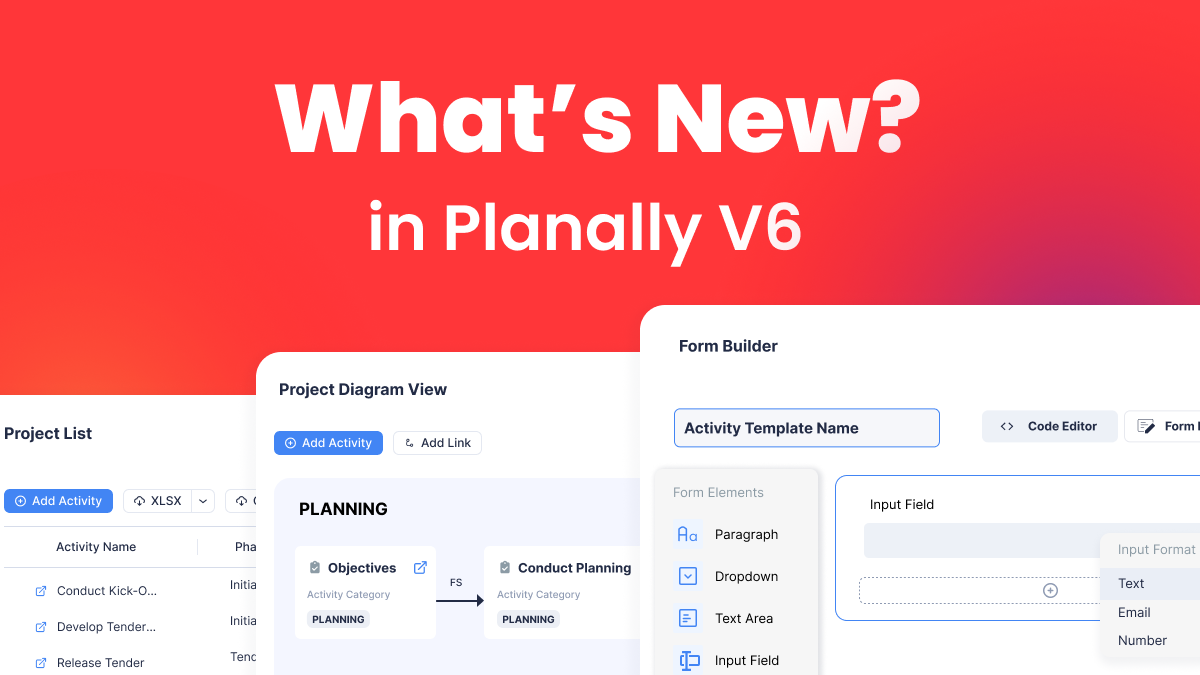
Planally Version 6 isn’t just an update — it’s a transformation. This release introduces powerful tools that give your teams the ability to create structured forms, visualize workflows, and design processes with precision and confidence.
With these enhancements, you can capture better data, plan with clarity, and execute faster across every project. Whether you’re managing global portfolios or driving governance for complex initiatives, Version 6 helps you eliminate manual overhead, improve collaboration, and keep every stakeholder aligned.
From customizable Form Builder to interactive Diagram Views and smarter Roadmaps, this release is designed to make your workflows more connected, more visual, and more efficient than ever before.
Here’s what’s new:
Form Builder: Create Structured Templates That Drive Accuracy

What it does
Form Builder lets you design reusable templates for activities, ensuring every workflow captures the right data. Create forms with custom fields, sections, and rules that guide users through the process.
How it works
- Create Custom Forms using Planally’s Form Builder
- Use drag & drop fields like text, dropdowns, date pickers, and checkboxes.
- Organize sections for clarity and add validation rules for accuracy.
- Utilize the Custom Forms for activities in your workflow
Why it matters
- Users complete clear, standardized forms that reduce errors.
- Data quality improves, making reporting and approvals faster.
- Teams save time by following structured steps instead of guessing.
Diagram View: Visualize Your Workflow at a Glance
What it does
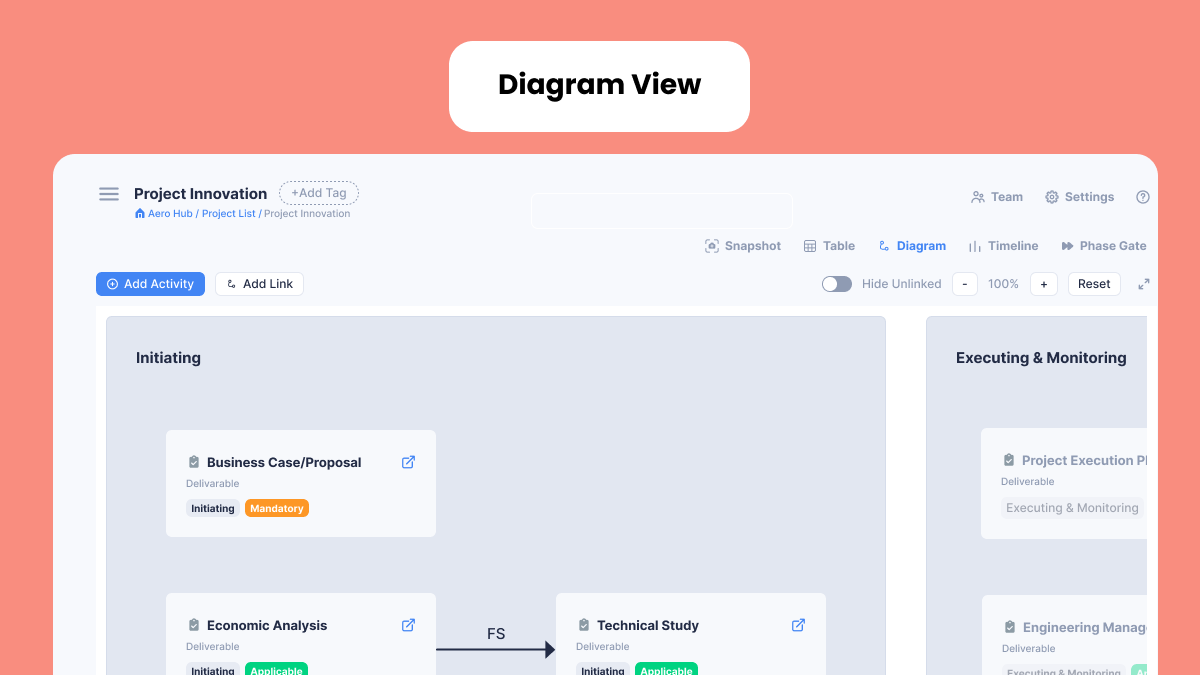
Diagram View turns your workflow into an interactive visual map. It shows phases, activities, and relationships so teams can understand the sequence of work instantly.
How it works
- Zoom and pan across the entire workflow.
- Click activities to update status, complete forms, or manage documents.
- View dependencies such as Start-to-Start, Finish-to-Start, and more.
Why it matters
- Teams avoid confusion and miscommunication.
- Leaders spot bottlenecks early and take action.
- Reviews and planning sessions become faster and more productive.
Project List: Your Portfolio, Organized and Accessible
What it does
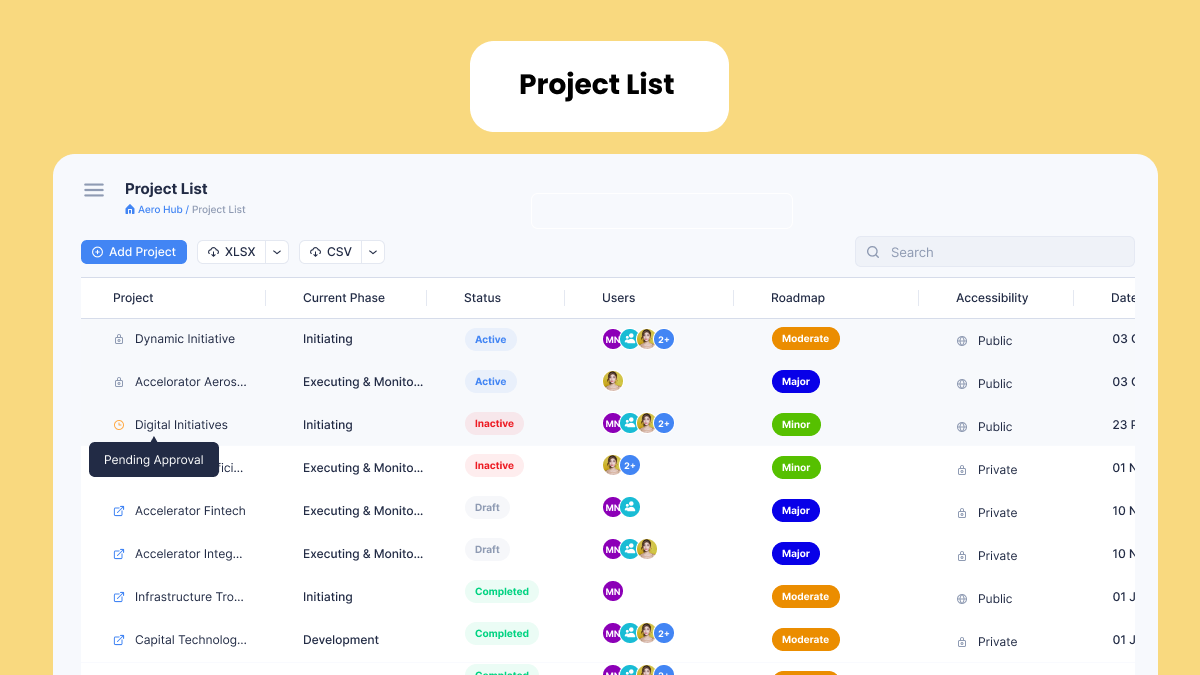
Project List gives you a centralized view of all projects in your workflow. It’s designed for speed and clarity.
How it works
- Search, filter, and sort projects by phase, status, or roadmap.
- Open any project with one click.
- Export the list for offline review.
Why it matters
- Managers get instant visibility across multiple initiatives.
- Teams reduce time spent searching for information.
- Operational reviews become smoother and more efficient.
Add Document Links: Attach Smarter, Not Heavier
What it does
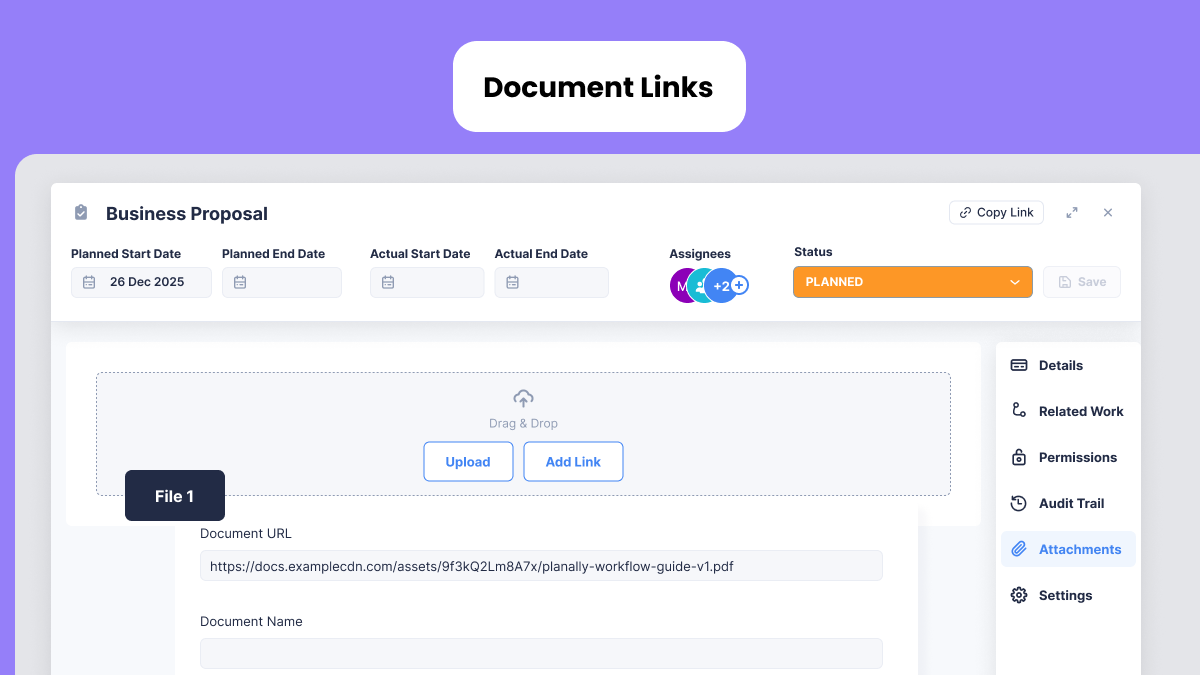
Instead of uploading files, you can now add a direct link to any document or resource. This keeps workflows light and ensures everyone accesses the latest version.
How it works
- Add a document link into your projects instead of uploading documents.
- Insert hyperlinks to documents in SharePoint, OneDrive, Google Drive, or other repositories.
- Respect permissions set in your original document repository.
Why it matters
- No duplication or outdated versions.
- Storage remains efficient while collaboration improves.
- Perfect for distributed teams working across regions.
Roadmaps: Design Processes That Keep Teams Aligned
What it does
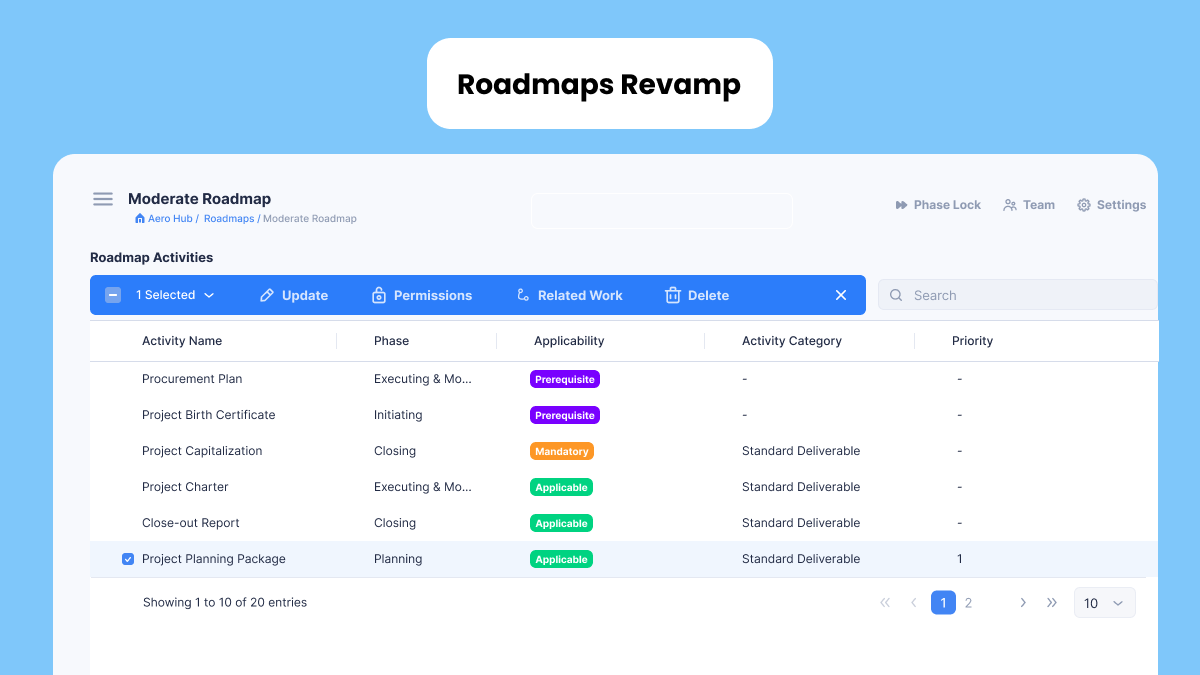
Roadmaps define the structure of your workflow. You can create phases, add activities, set relationships, and publish changes so every project starts with the right process. With Planally Version 6, you can now pre-define related work and dependencies, giving your workflow a clear structure for managing relationships and activity dependencies.
How it works
- Create or update phases and activities.
- Define related work and dependencies for clear sequencing.
- Publish updates so new projects adopt the latest roadmap.
Why it matters
- Every project begins with a governed structure.
- Approvals and endorsements are clear and traceable.
- Teams stay aligned across departments and geographies.
Roadmaps Diagram View: Validate Before You Publish
What it does
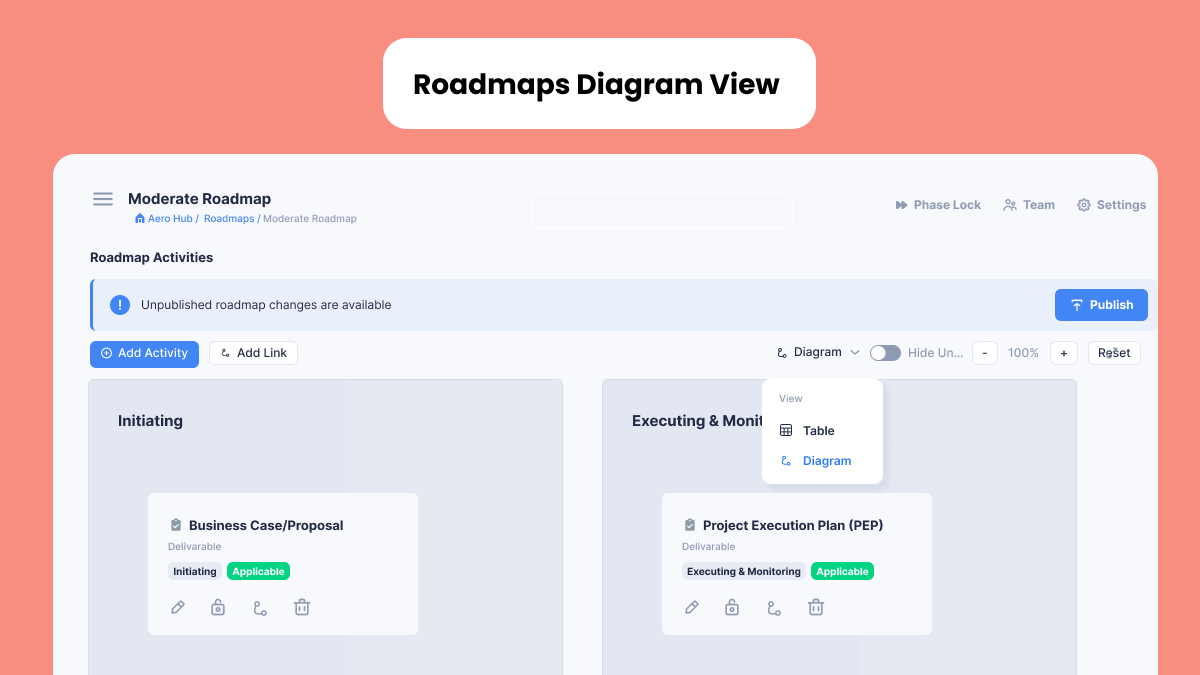
Roadmaps Diagram View gives you a visual canvas to confirm your process design before rollout.
How it works
- Map phases and activities in one interactive view.
- Visualize dependencies and related work.
- Share the design with stakeholders for alignment.
Why it matters
- Publishing becomes safer and more predictable.
- Governance is strengthened through visual clarity.
- Stakeholders understand the process before execution.
Explore Our Planally Knowledge Base
Need help getting started? Visit our new Planally Knowledge Base for step-by-step guides and best practices: 👉 https://docs.planally.com
What’s Next?
Version 6 is just the beginning. These updates reflect our commitment to making Planally the most intuitive and powerful platform for workflow planning, governance, and execution. We’re building features that help teams work smarter, stay aligned, and deliver results faster.
We’re focused on:
- Improving data collection with advanced enhancements to Form Builder, including more field types, stronger validation, and integrated insights for effortless reporting.
- Enhancing dashboards to provide real-time visibility, actionable metrics, and customizable views tailored for every team and role.
- Strengthening collaboration through connected workflows and improved navigation with enhanced views that make teamwork seamless across regions.
More features are already underway — and we’ll continue to improve based on your feedback.
Log in today and experience the new Planally.
Smarter workflows start here.